You Have Seconds to Capture Someone's Attention Before Your Message Is Ignored

Your Email Design Gets the Attention, Your Copy Makes the Sale. If Your Email Looks Like All The Others, It Will Be Treated That Way.

Professional Email Design Can Be the Difference Between Being Read and Being Forgotten

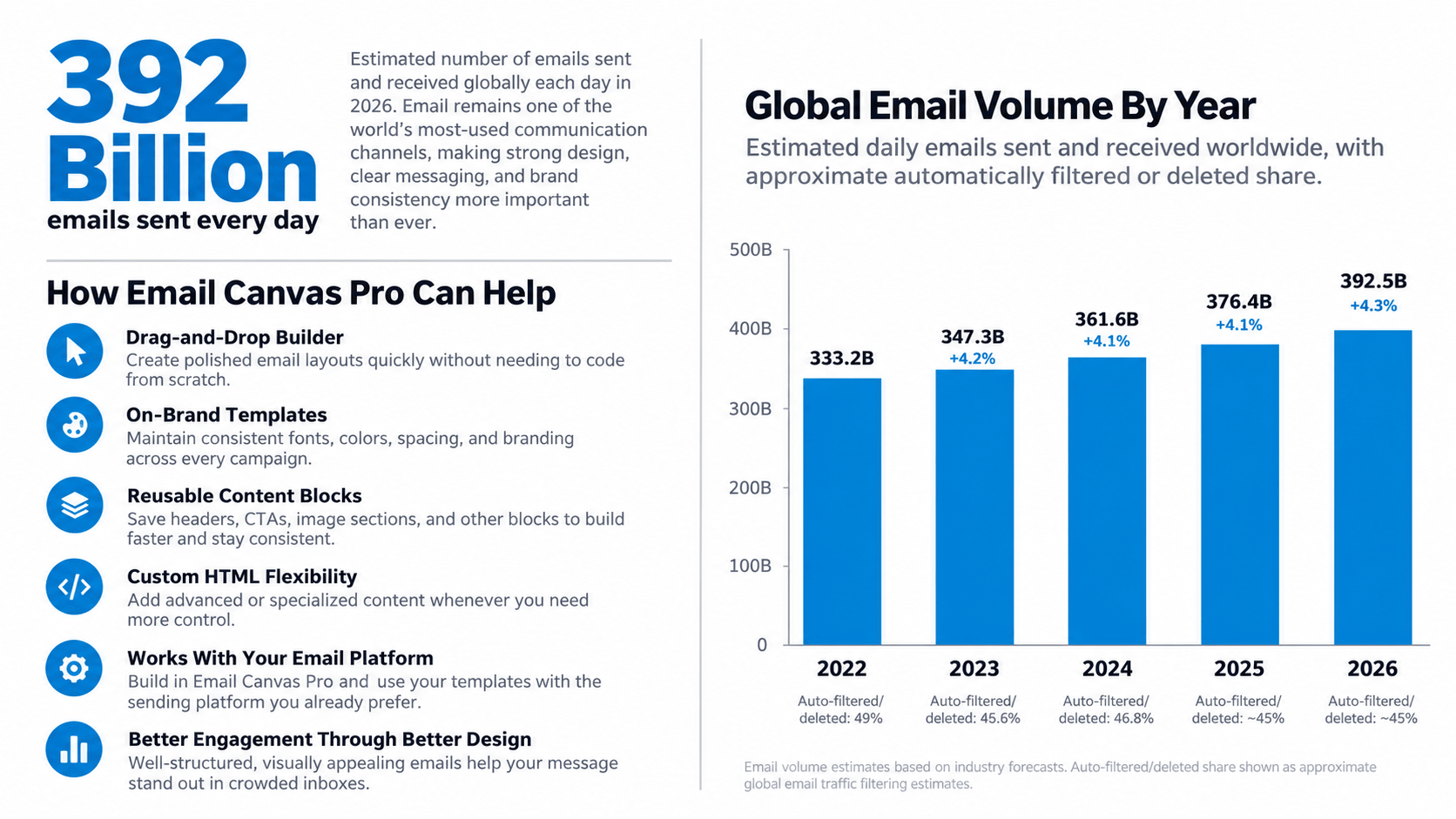
Did You Know... There Are Over 392 Billion Emails Sent Every Day?


That is an extraordinary amount of competition fighting for attention.

Your email is not sitting alone in someone's inbox. It is competing with dozens, sometimes hundreds, of other messages all fighting to be noticed, opened, and read. And in many cases, you have little more than a second to make an impression. If your email looks outdated, cluttered, confusing, or unprofessional, the recipient may move on before they ever read what you have to say.

THAT IS WHY DESIGN MATTERS.

Ask any email marketing professional, and they will tell you the same thing: Email design matters just as much as the copy itself. A clean, professional design helps establish credibility, directs the reader's attention, makes your message easier to follow, and gives your offer a better chance of being taken seriously.


The right layout can draw attention to an important headline. The right spacing can make your message easier to read. The right typography can improve clarity. And the right call-to-action can help turn a reader into a customer.


YOUR EMAIL HAS TO EARN THEIR ATTENTION BEFORE YOUR MESSAGE CAN DO ITS JOB.

You may have written the perfect sales message. You may have an outstanding product. You may have an irresistible offer. But if the email itself fails to capture attention, much of that effort may never have a chance to work.

A professionally designed email gives you a far better opportunity to get your message read, keep the recipient engaged, and ultimately generate the response you are looking for.

Because in email marketing, first impressions happen fast. And You Never Get A Second Chance To Make A First Impression.

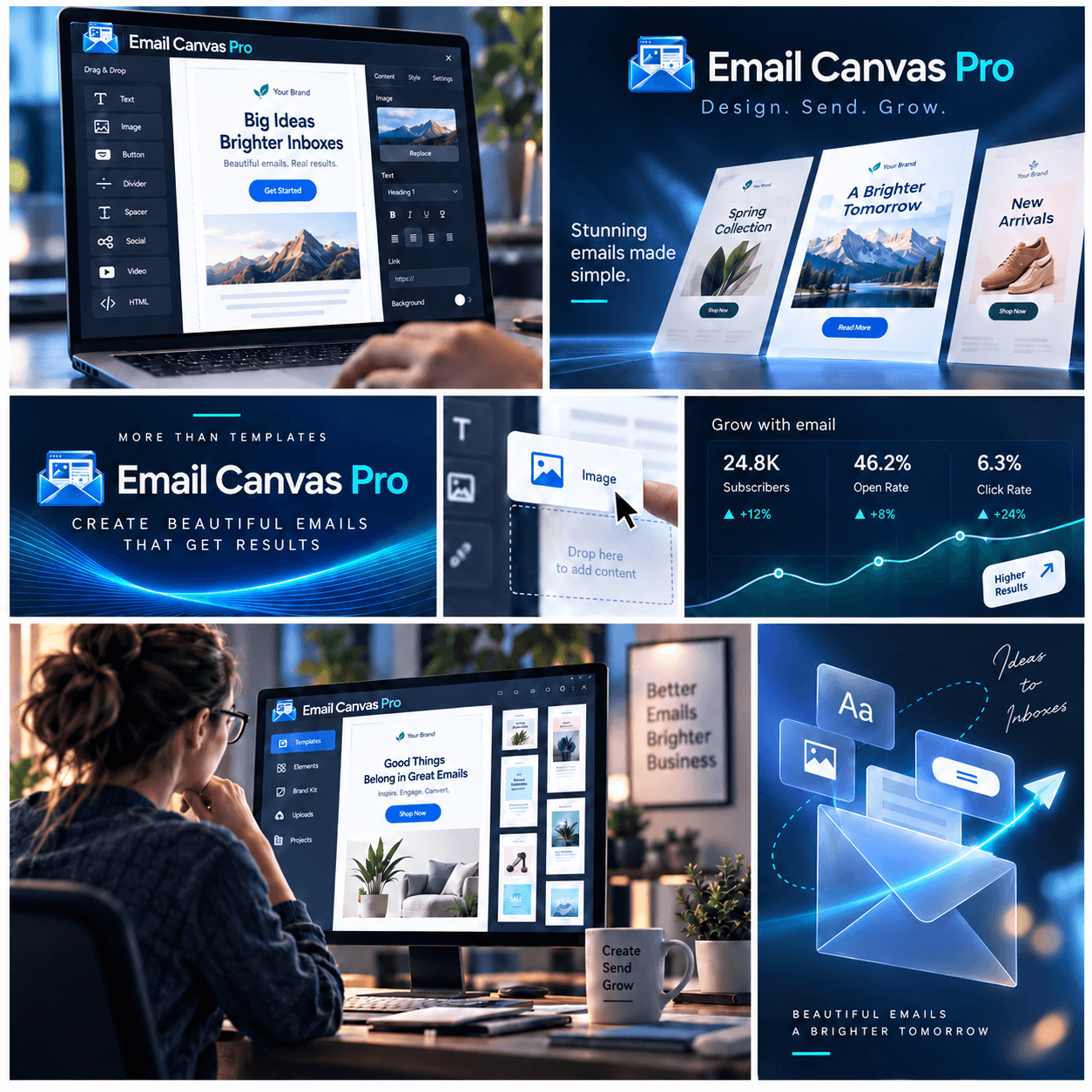
That is exactly why Email Canvas Pro was created. To help you create professional, attention-grabbing emails that look as good as the message they contain.

Here's What Email Canvas Can Do

  • Drag-and-Drop Email Builder
  • Professionally Pre-Designed Templates
  • Text and Image Blocks
  • Button Builder
  • Lists and Checklists
  • Social Media Elements
  • Advanced Typography Controls
  • Reusable Content Blocks
  • Responsive Mobile Friendly Design
  • Use Your Own Email Sending Platform

There Is A MAJOR FIGHT  For Your Attention. Most emails are deleted within seconds of being opened And if you fail to impress them in those first few seconds, you become just another Deleted Email

you need an edge—an advantage that most copyright marketers never even consider.
Most Email Platforms Are Good at Sending Emails... Email Canvas Pro Is Built to Help You Create Better Ones

Established email platforms do an excellent job with the part that matters most: reliably sending your emails. They also include basic design tools for building campaigns, and for many users, those tools are enough. The problem is that designing a polished, professional email inside a sending platform can often be slower, more restrictive, and more frustrating than it should be.

Email Canvas Pro separates email design from email delivery. Your existing platform can continue doing what it already does well, while Email Canvas Pro gives you a dedicated workspace for creating professional, on-brand emails with greater flexibility and control.

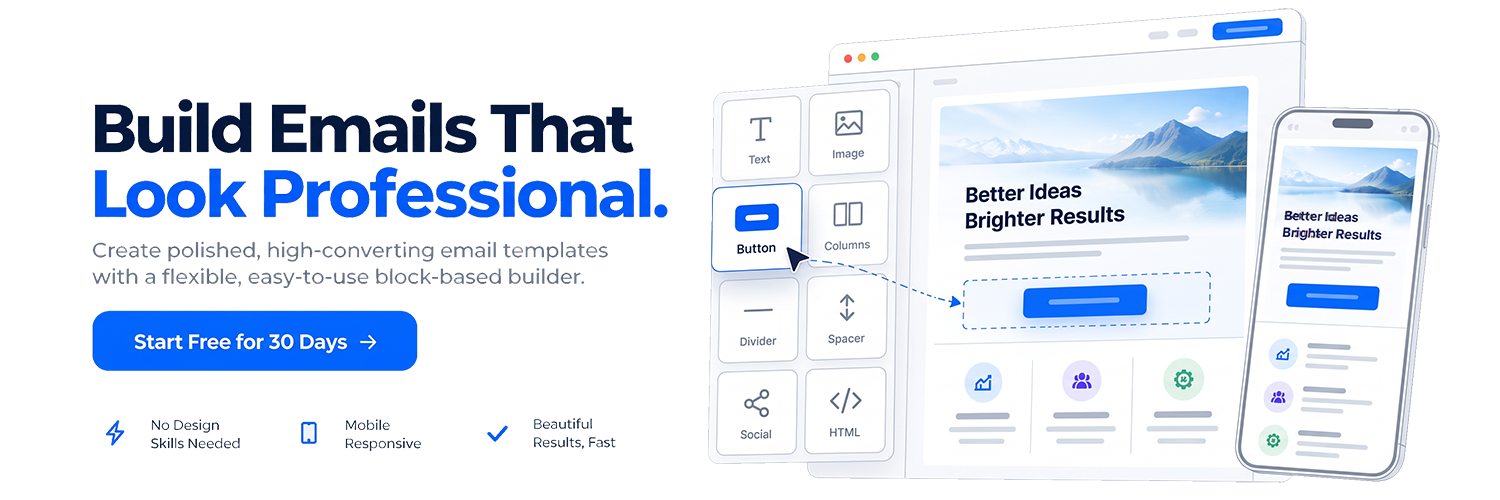
Drag and drop text, images, buttons, columns, calls to action, custom HTML, and other content directly onto the canvas. Save your favorite blocks, reuse proven layouts, and build polished campaigns without starting from scratch every time.

And here is the difference: Email Canvas Pro is not trying to replace your email-sending platform. It is designed to work alongside it. Keep the deliverability, automation, contact management, and infrastructure you already trust, while giving yourself a more capable and intuitive way to design the emails those platforms send. Create the email in Email Canvas Pro. Make it look the way you want. Then use it with the sending platform that works best for you.

Drag-and-Drop Builder

Build professional emails visually by dragging content blocks directly onto the canvas. Text, images, buttons, columns, calls to action, and more can be positioned without wrestling with complicated layout tools.

Reusable Content Blocks

Save the sections you use most and drop them into future campaigns whenever you need them. Headers, calls to action, product sections, disclaimers, signatures, and other recurring content no longer have to be rebuilt from scratch.

Professional Templates

Start with a library of polished, ready-made email designs and customize them to fit your brand, message, and campaign. You get a strong starting point without being locked into a rigid template.

Flexible Design Controls

Control fonts, backgrounds, typography, spacing, borders, margins, padding, alignment, and other visual details directly inside the editor. Make the email look the way you want without digging through code.

Custom HTML Support

When you need more control, add your own HTML directly into the email. Custom blocks give advanced users the flexibility to create specialized layouts, promotional sections, and content beyond the standard editor tools.

Platform-Independent

Create your email in Email Canvas Pro, then use it with the sending platform you already trust. Your design process stays separate from your delivery system, so you are not forced to change providers just to get better email-design tools.

Nothing Comes Close to the Design Freedom Email Canvas Pro Delivers

Email Canvas Pro Is Built Specifically for Creating Better Emails. It Gives You a Dedicated Design Workspace, Powerful Drag-and-Drop Controls, Reusable Content Blocks, and the Flexibility to Build Professional Email Templates Without Being Locked Into Your Sending Platform

It's Like Having A Dedicated Email Design Studio Working Alongside Your Existing Platform, Giving You More Control Over How Every Campaign Looks Before You Send It

Easy To Use

Professional Results

Saves You Time

Fully Customizable

Creative Control

No Coding Required

Monthly

Professional email design with the flexibility of monthly billing.
$ 12.97 / month
Full access • Cancel anytime
Create better-looking emails without changing the platform you already use to send them.

Your Membership Includes
  • Powerful drag-and-drop email builder
  • Professionally designed email templates
  • Reusable content blocks and layouts
  • Advanced control over spacing, colors and typography
  • Buttons, images, columns, dividers and calls to action
  • Custom HTML support for advanced users
  • Create responsive, mobile-friendly emails
  • Use your designs with your existing email platform
Start Creating

Team

Setup for your whole team to access and create templates.
$ 247 / year
3 Team Members
Build a reusable library of polished, on-brand email designs that are ready whenever you need them.

Everything You Need To Create
  • Everything included with Email Canvas Pro
  • Each user gets their own login and template dashboard. 
  • You may create your template designs and resell them to other customers.
  •  Additional users may be added for $8 per month if paid yearly.
Click Support Link at Top Inquire About Teams

Try Email Canvas Pro for 30 days—completely risk-free.

We want you to be completely satisfied. Give Email Canvas Pro a try for 30 days, and if it does not live up to everything we promised, or if you simply decide it is not right for you, let us know within The First 30-Days. We will gladly refund your full Purchase Price.

See Details Below In FAQ

Frequently Asked Questions

Why would I use Email Canvas Pro instead of the email campaign builder I already have?

You never get a second chance to make a first impression. You can write the finest email copy in the world, but if your email’s design and layout are poor, no one is going to read it.

Most email platforms are built primarily to send, automate, and track emails. Design is often secondary, which can leave you working with limited templates, basic formatting tools, and layouts that all begin to look the same.

Email Canvas Pro was built specifically for email creation and design.

It gives you a more powerful, flexible workspace for building polished, professional emails with greater control over layout, spacing, typography, branding, reusable blocks, and overall presentation.

Your email platform can keep doing what it does best—sending your campaigns.

Email Canvas Pro helps make sure those campaigns look as professional as the message they carry.

Is Email Canvas Pro difficult to learn?

No. One of our primary goals was to make professional email design easier, not more complicated. Instead of wrestling with complicated design tools, you build your email visually using individual content blocks.

Drag in what you need, customize it, move it where you want it, and save frequently used sections for future campaigns.

Once you've created a few emails, you can reuse your favorite layouts and blocks rather than starting over every time.

Do I have to change my current email provider?

No.

Email Canvas Pro is not designed to replace the platform you already use to send emails. Instead, it works alongside it.

That means you can continue using your existing email service for your contacts, automations, analytics, and email delivery while using Email Canvas Pro to create better-looking emails.

You don't have to move your mailing list or rebuild your entire email marketing system just to improve your email design.

Can I create my own templates?

Yes.

You can start with one of our professionally designed templates, customize it to match your business, or build your own email from scratch.

You can also save frequently used sections—such as headers, signatures, calls to action, product sections, disclaimers, and promotional blocks—and reuse them in future emails.

The goal is not to force you into our designs. It is to give you the tools to create your designs.

Do I need to know HTML or how to code?

Absolutely not.

Email Canvas Pro was designed so that anyone can create professional emails using its visual drag-and-drop builder.

You can add text, images, buttons, columns, calls to action, dividers, and other elements without writing code.

For advanced users who want even greater control, Email Canvas Pro also supports custom HTML—but using HTML is completely optional.

Is Email Canvas Pro difficult to learn?

No. One of our primary goals was to make professional email design easier, not more complicated.

Instead of wrestling with complicated design tools, you build your email visually using individual content blocks.

Drag in what you need, customize it, move it where you want it, and save frequently used sections for future campaigns.

Once you've created a few emails, you can reuse your favorite layouts and blocks rather than starting over every time.

Will my emails work on mobile devices?

Email Canvas Pro is designed with responsive email creation in mind so your emails can adapt to different screen sizes, including smartphones and tablets.

That matters because a substantial portion of email is read on mobile devices.

You should still preview and test important campaigns before sending them, particularly when using advanced custom HTML, because individual email clients can render certain elements differently.

Am I locked into a long-term contract?

No.

If you choose a monthly subscription, you can subscribe on a month-to-month basis.

We also offer annual plans for customers who know they will be using Email Canvas Pro regularly and would like to save money by paying annually.

There are no prorated refunds for unused portions of a subscription, so customers should choose the billing option that best fits how they expect to use the service.

What if I try Email Canvas Pro and decide it isn't right for me?

We want you to have an opportunity to actually use Email Canvas Pro before deciding whether it belongs in your marketing workflow.

That's why eligible new customers are covered by our 30-Day Money-Back Guarantee.

Try the platform, build some emails, experiment with the templates and design tools, and see whether it works for you. If it doesn't live up to what we promised, contact us within the applicable 30-day guarantee period and request a refund in accordance with our Terms and Conditions.

How does the 30-day money-back guarantee work?

If you’re new to Email Canvas Pro, we want you to have enough time to explore the platform and decide whether it fits your email-design workflow.

Our 30-day money-back guarantee applies to first-time Email Canvas Pro customers. This gives you the opportunity to try the platform, build emails, explore the templates and design tools, and determine whether Email Canvas Pro is right for you.

If it isn’t right for you, contact us within those 30 days and request cancellation. We’ll refund the amount you paid for the qualifying subscription.

Two things to know:

The guarantee is for first-time customers. Refund requests made after the initial 30-day guarantee period cannot be honored.

Renewals are handled separately. If your subscription renews automatically and you intended to cancel, contact us within 30 days of the renewal date. We’ll cancel the renewed subscription and refund that renewal charge in full.

Monthly and annual subscriptions may have different billing periods, but the same principle applies: the initial 30-day guarantee gives new customers an opportunity to evaluate Email Canvas Pro, while the renewal grace period protects customers from an unintended automatic renewal.

Your Website. Your Business. Your Control. Make It Better With Email Canvas Pro

Don’t Wait Until Another Email Goes Out Looking Ordinary. Take Control Of Your Email Design Before Your Next Campaign Goes Live. Create Polished, Professional Emails That Reflect The Quality Of Your Brand—And Make Every Message Look As Strong As The Content Inside It.

Protect Your Website Before You Have To Recover It.
© 2026 Email Canvas Pro by Wumbo   :::   Terms of Service  :::  Privacy Policy